Showing posts with label FIFA MODS. Show all posts

FIFA 20 FIFA Infinity Patch 20 (v3.0) Season 2019/2020

Gambar - FIFA 20 FIFA Infinity Patch 20 (v3.0) Season 2019/2020

New release of FIFA Infinity Patch for FIFA 20!

The most complete patch for FIFA 20 to date will offer the following:

– Brasileirao fully updated, with real rosters and missing teams added (Corinthians, Flamengo, Palmeiras, Sao Paulo and Vasco da Gama).
– UEFA Champions League 2019/20 group stage missing teams added in Rest of World.
– UEFA Europa League 2019/20 group stage missing teams added in Rest of World.
– Licensed names, kits, minikits and logos for all the unlicensed teams.
– Licensed names and logos for unlicensed leagues and competitions.
– Real players for Brazil, Ecuador and Uruguay national teams.
– 20 realistic banners added (thanks to Southwest).
– 42 player faces updated (thanks to FCB17).
– Real manager names for all teams.
– Real stadium names for all teams.
– Compatibility with all languages.

Changelog

3.0 version

– Database updated to March 10th (EA Sports official roster update).
– Updated rosters for all the brazilian, czech, russian and rest of europe teams.
– Features added in CONMEBOL DLC (Copa Libertadores, Copa Sudamericana and Recopa Sudamericana) are now fully integrated with the new features.
– New special squads file to unlock all the newly added south american teams.
– Cerro Porteño (Paraguay) added in Rest of World league.
– MOL Cup (Czech Republic national cup competition) added (only in “Czech version” of the mod).
– Updated crests for the following teams: Astana, Belgium, Chicago Fire, Ecuador and Iceland.
– Updated league logo of Liga BetPlay (Colombian League).
– Minor improvements to generic adboards in south american leagues (animated and static).
– Added 10 new realistic banners (thanks to Southwest).
– Added Maxi Rodríguez custom face (converted from FIFA 18).
– Added Juan Román Riquelme to FUT Icons Team.
– Fixed gameplay issue when playing with the newly added teams.
– 2 unlocked faces for the following managers: Hernán Crespo and Thierry Henry.

2.3.2 version

– Mod rebuilded to make it compatible with the latest FIFA title update (read “note 4” in “Instructions”).

2.3.1 version

– Mod rebuilded to make it compatible with the latest FIFA title update (read “note 4” in “Instructions”).

2.3

– Mod rebuilded to make it compatible with the latest FIFA title update (compatible with started career modes using 2.0, 2.1 or 2.2 version, but some of the new features won’t be available in older careers).
– Unlocked all the new faces added in the latest FIFA update.
– Unlocked PSG 4th kit and Club América 3rd kit added in the latest FIFA update.
– Corrected kits for Cosenza and Juve Stabia.
– Corrected shortnumbers for Juventus kits.
– Corrected shortnumbers for FC Ufa away kit.

All the teams included in the mod are playable with no issues in all versions.

More updates are planned with a multitude of new features to be included in the future!

It’s important to remember that there are two versions of this mod:

– “Custom Version” includes all “Rest of Europe” teams with Home, Away and GK Kits, but the brazilian teams will have only Home and GK kits.
– “Brazilian Version” includes all the the brazilian teams with Home, Away and GK Kits, but the new “Rest of Europe” teams will have only Home and GK kits.

All the teams included in the mod are playable with no issues in all versions.

More updates are planned with a multitude of new features to be included in the future!

Preview:


Instructions

Please, read carefully which are the features of each one and choose the one you like it. Remember that you can switch between the two versions in Frosty Mod Manager, but Career Modes started with one version are not compatible with another version.

It is recommended that you use a clean install of FIFA 20 for this patch. This patch is compatible with other mods, but you have to place FIP20 1.4 below any other mod in the “applied mods” list of Frosty Mod Manager in order to avoid compatibility issues.

Frosty Mod Manager by GalaxyMan2015 is necessary to run this patch. You can download it here: http://frostytoolsuitedev.gitlab.io/downloads.html

Open Origin and go to “Offline Mode”.

Run FrostyModManager and select your FIFA 20.exe inside your installation folder.

Click on “Import Mod(s)” and select the files named “FIP20V14 Custom” inside the folder “Patch Files” that you’ve previously downloaded to import the mod (this is for the “Custom” version of the mod. If you want to install brazilian version, just select the file named “FIP20V14 Brazilian”)

Click on “FIP20 v.1.4 Custom” (or “FIP20 v.1.4 Brazilian”) on the “Available Mods” list and then, click on “Apply Mod(s)” to activate the mod.

With mod files of the select version applied in Frosty Mod Manager, run FIFA 20 by clicking the “Launch” button.

Note 1: if FIFA 20 doesn’t start after clicking on “Play” in FIFA Launcher with the mod installed, try to restart Origin app and launch FIFA 20 WITHOUT disconnecting Origin (Online modes will be available but they are not compatible with the mod and it’s not recommended to play those modes with the mod applied).

Note 2: you have to apply the updated squads to see all the changes made in 1.3 version. Copy the file named “SquadsFIPBR” (if you play with brazilian version) or the file named “SquadsFIPC” (if you play with custom version) located in “Squads Files” folder and place it in the “FIFA 20\settings” folder located in Documents. Then, ingame, go to “Customize”, “Load Squads” and select the “SquadsFIP” (BR for brazilian, C for custom) to apply the updated squads.

Note 3: if you want to play with FUT Icons in Career Mode you have to install the Icons squads file using the same method indicated in Note 2. Copy the file named “SquadsIconsBR” (if you play with brazilian version) or the file named “SquadsIconsC” (if you play with custom version) located in “Icons Files” folder and place it in the “FIFA 20\settings” folder located in Documents. Then, ingame, go to “Customize”, “Load Squads” and select the “SquadsIcons” (BR for brazilian, C for custom) to apply the updated squads.
Credits

Note 4: since the FIFA 20 CONMEBOL DLC, any version of FIP20 released previously won’t be fully compatible with the new features. You won’t be able to play Career Mode or CONMEBOL content; you will have to play with FIP20 v.3.0 (or newer) to enjoy the new features added in the DLC.

All of this work would not have been possible without:

Nafer – Patchmaking, Database, Graphics
scouser09 – Patchmaking, Database, Kits, Graphics
DecoRuiz – Database, Kits, Minikits
Mogolos – Database, Kits, Minikits
Makispla – Kits, Minikits
mundofifakits.blogspot.com – Kits, Minikits
DjonatanJG – Kits, Minikits
victorhugob15 – Kits, Minikits
Pedro10do7 – Kits, Minikits
Diazjesux – Kits, Minikits
df10 – Kits, Minikits
FIFAMoro – Kits, Minikits
EmiVidela – Kits, Minikits
ILNUR127 (https://vk.com/ilnur127_official) – Kits, Minikits
FCB17 – Faces
southwest87 – Banners, Flags
Damien – Artwork, Graphics
GalaxyMan2015 – FrostyTool
Fidel – RDBM
Rinaldo – Creation Master, DB Master, RDBM

Download Now

Share:

FIFA 14 Next Season Patch 2020 Update V1.0

Gambar - FIFA 14 Next Season Patch 2020 Update V1.0

Features:

- Full Winter Transfers Updated 2019/2020
- Update Brasileiro Série A With New Teams 2020/2021
- Upate National Teams Kits 2020
- New Faces Added 2019/2020
- Add Indonesian Teams (Persib Bandung, Persija Jakarta)
- New Young Players
- Update Players Ratings

Notes:

- Compatible With FIFA 14 Next Season Patch 2020
- Size: 26 MB

Screenshots


Installation Method

1. Download & Extract file
2. Copy ''Game'' to FIFA 14 Main Folder

Note: If the Update does not work, Or some updates did not work
Generate with File Master

Credits & Thanks:

Micano4u
Sharaevich
afwan
RALE
Share:

Download Now

Share:

FIFA 14 NEW UPDATE LATEST TRANSFERS DB 11/08/2018


Feature:

Courtois To Real Madrid
A. Vidal To FC Barcelona
Witsel To Bor. Dortmund
Ronaldo To Juventus
André Gomes To Everton
And More Transfers ...

How to Install:


NEXT UPDATE 18/08/2018 Stay Connected

Download Now

Credit :

Minosta4u

Share:

FIFA 18 NEW UPDATE PATCH FOR SEASON 2018/2019


Features

– Brasileirao fully updated, with real rosters, missing teams added (Corinthians, Flamengo, Bahia and Vasco), and new promoted teams for 2018 season added too (Internacional, América MG, Ceará and Paraná).
– Campeonato de Chile fully updated with real rosters and Unión La Calera (promoted for 2018 season) added.
– Greek Super League 2017/18 added and playable in Career and Tournament modes, with updated rosters and graphics for all the teams (thanks to Mogolos).
– Czech HET liga 2017/18 added and playable in Career and Tournament modes, with updated rosters and graphics for all the teams (thanks to Roman Hovorka and Mogolos).
– Chinese Super League 2018 added and playable in Career and Tournament modes, with updated rosters and graphics for all the teams (partially converted from FIFA Online 4).
– Romanian Liga I 2017/18 added and playable in Career and Tournament modes, with updated rosters and graphics for all the teams (thanks to Mogolos).
– Added 2018 season promoted teams in colombian, korean, japanese, norwegian and swedish leagues (replacing relegated teams).
– UEFA Champions League 2017/18 group stage missing teams added in Rest of World.
– UEFA Europa League 2017/18 group stage missing teams added in Rest of World.
– Al-Ahly (EGY), Auckland City (NZL), Kitchee SC (HKG) and Los Angeles FC (USA) added in Rest of World.
– “Rest of world team” with missing important players added.
– FIFA Club World Cup, AFC Champions League and CONCACAF Champions League playables in Career Mode.
– Fixed Copa do Brasil (now with 20 teams).
– Fixed SSE Airtricity League and Irish EA Sports Cup (now with 10 teams, and Waterford added).
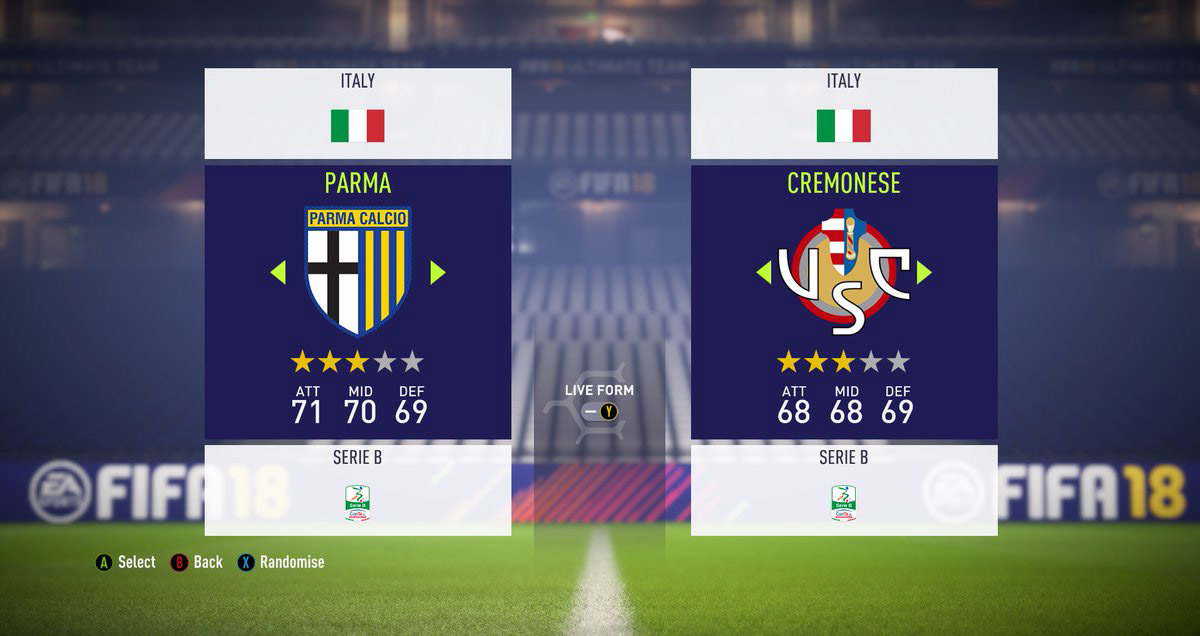
– Licensed names, kits, minikits and logos for all the unlicensed teams.
– Licensed names and logos for unlicensed leagues and competitions.
– Fixed Cádiz CF kits (thanks to carrasco1live).
– 18 new player faces edited via ingame editor (thanks to decoruiz).
– Animated adboards for UEFA Champions League and UEFA Europa League (thanks to Andy).
– New animated adboards for Premier League teams (thanks to Andy).
– Custom flags for some teams.
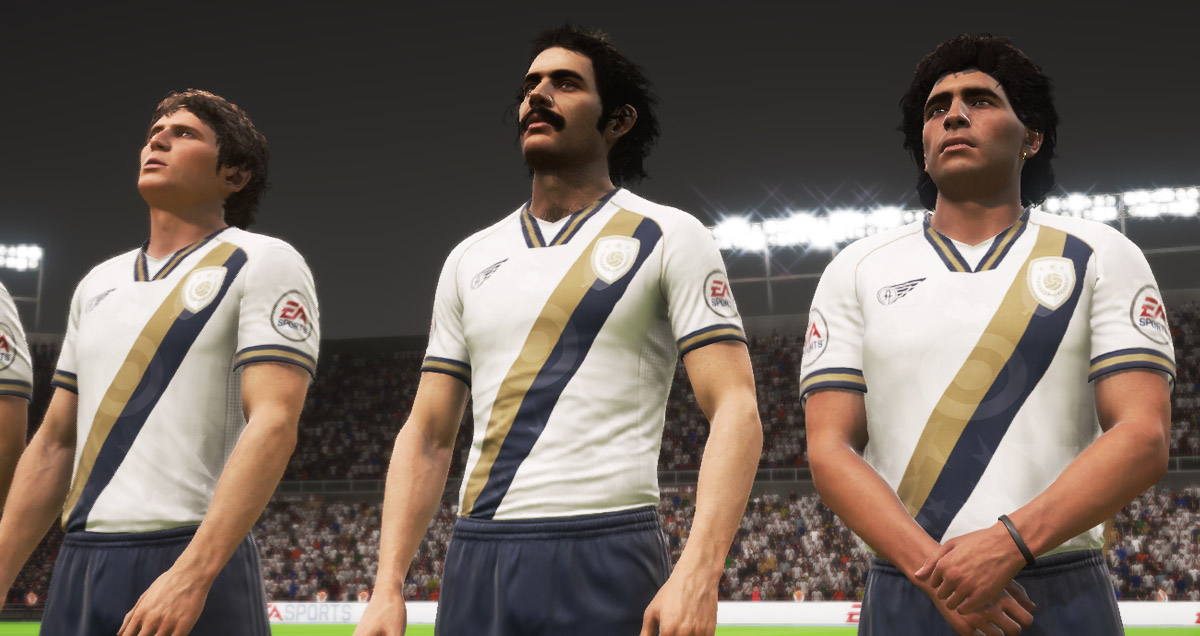
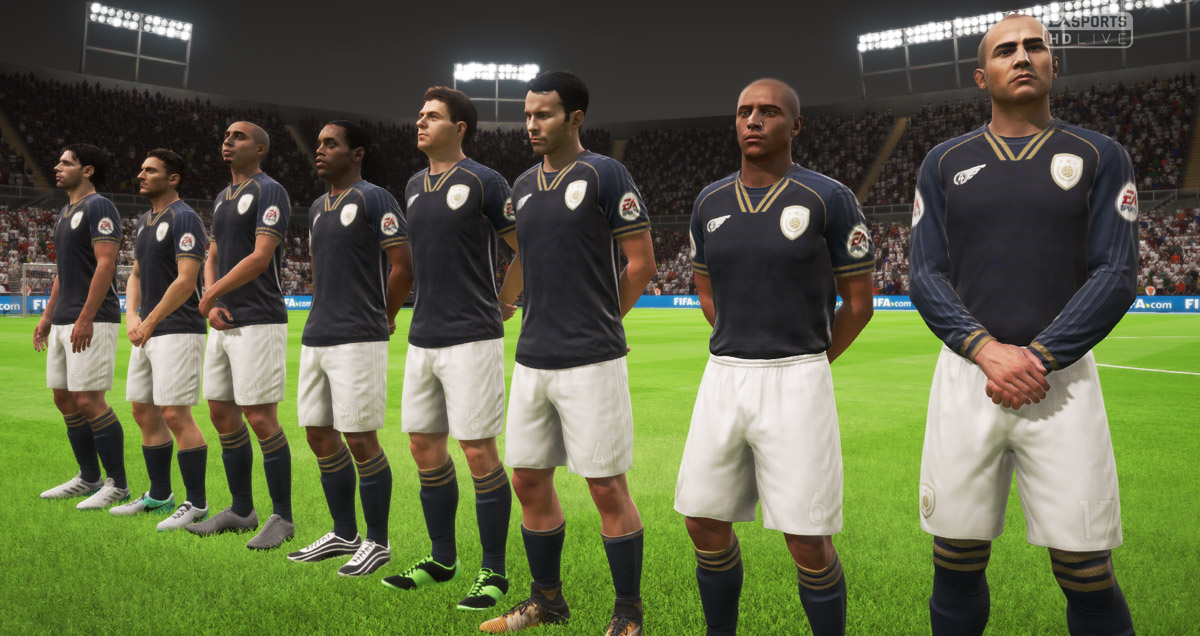
– Two “Classic XI” teams with FUT Icons and FUT Legends.
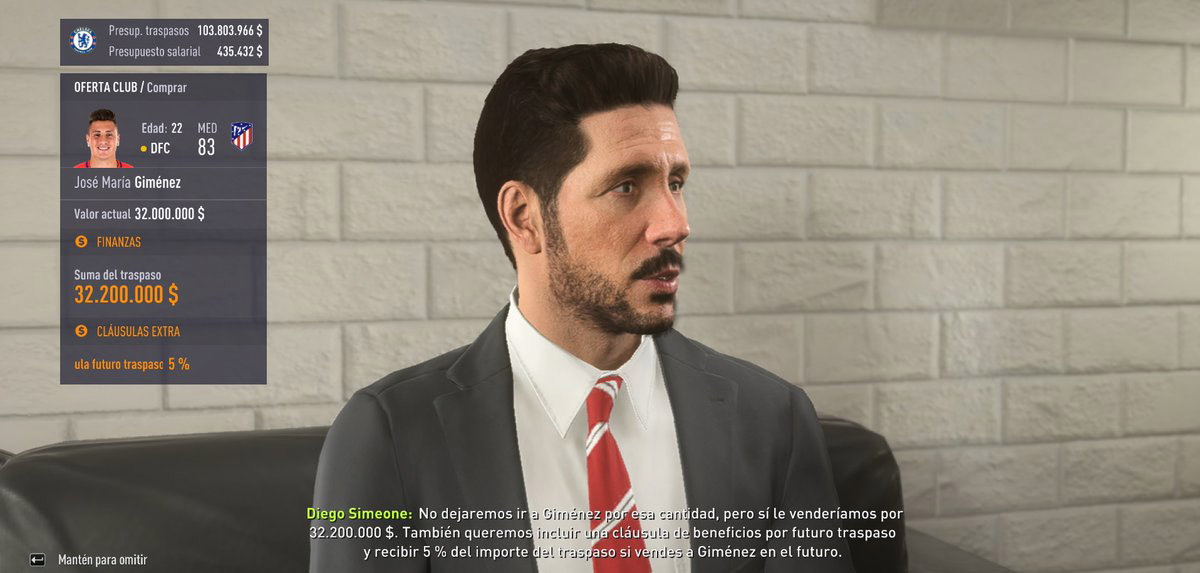
– 24 new manager faces unlocked and real manager names for all teams.
– Real stadium names for all teams.
– Unlocked all World Cup stadiums in all game modes.
– Unlocked all boots and balls.
– Uncloked all the new faces added in World Cup update in all game modes.
– Unlocked all the new national teams added in World Cup update in all game modes.
– FIFA World Cup mode updated with realistic squads and 23 players per team.
– Compatibility with all languages.

Instructions

Important: there are six versions of this mod. Please, read carefully which are the features of each one and choose then one you like it. Remember that you can switch between the five versions in CG File Explorer, but Career Modes started with one version are not compatible with another version.

– “Custom Version” includes all “Rest of Europe” teams with Home, Away and GK Kits, but the new brazilian, greek, czech, chinese and romanian teams will have only Home and GK kits.
– “Brazilian Version” includes all the the brazilian teams with Home, Away and GK Kits, but some of the new “Rest of Europe”, greek, czech, chinese and romanian teams will have only Home and GK kits.
– “Greek Version” includes all the greek teams with Home, Away and GK Kits, but some of the new “Rest of Europe”, brazilian, czech, chinese and romanian teams will have only Home and GK kits. Also, greek league will be playable in Career and Tournament Modes (instead of brazilian league which will be playable only in Tournament Mode).
– “Czech Version” includes all the czech teams with Home, Away and GK Kits, but some of the new “Rest of Europe”, brazilian, greek, chinese and romanian teams will have only Home and GK kits. Also, czech league will be playable in Career and Tournament Modes (instead of brazilian league which will be playable only in Tournament Mode).
– “Chinese Version” includes all the chinese teams with Home, Away and GK Kits, but some of the new “Rest of Europe”, brazilian, greek, czech and romanian teams will have only Home and GK kits. Also, chinese league will be playable in Career and Tournament Modes (instead of brazilian league which will be playable only in Tournament Mode).
– “Romanian Version” includes all the romanian teams with Home, Away and GK Kits, but some of the new “Rest of Europe”, brazilian, greek, czech and chinese teams will have only Home and GK kits. Also, romanian league will be playable in Career and Tournament Modes (instead of brazilian league which will be playable only in Tournament Mode).
All the teams included in the mod are playable with no issues in all versions.

It is recommended that you use a clean install of FIFA 18 with the latest update installed via Origin for this patch. This patch may be compatible with older versions of FIFA 18, but you may experience some bugs. This patch may be NOT compatible with another patch/mod.

CG File Explorer 18 by Shawminator is necessary to run this patch. You can download it here.

CG File Explorer 18 includes a documentation which explains how to use this program. It’s recommended to read this document if you don’t know how to use this program.

Open CG File Explorer 18 (always run this program as admin) and choose “FIFA18.exe” file inside your FIFA 18 directory.

Then, CG File Explorer 18 will ask you to choose the mod you want to install. Select “Import Patch” and choose the FIP18 V4 mod file (those files are in the “Patch Files” folder extracted from the .rar file). Patch will be imported (this process may take time, please be patient).

When the mod is imported correctly, CG File Explorer 18 will open. Close CG File Explorer 18 and your FIFA 18 will be ready to play with FIP18 V4 installed.

Run FIFA 18 via Origin (remember to disconnect Origin app first).

Note: if you want to play the “unmodded” FIFA 18 (for online game modes), you have to delete the “data” and “patch” folders (with a shortcut icon) inside your FIFA 18 directory. Also, delete the bcrypt.dll file. Then, rename the “data_original” and “patch_original” folders to “data” and “patch” folders respectively. You will be able to play online again, but you will need to apply the mod with CGFE if you want to play with the mod again. It’s recommended to have multiple FIFA 18 folders, one for modded game and one for online game.

Preview:


Download Now:

Credits

Nafer – Patchmaking, Database, Graphics
Scouser09 – Database, Graphics
decoruiz – Database, Faces, Kits, Minikits
Mogolos – Database, Kits, Minikits
Damien – Database, Artwork
dogfood09 – Database
Roman Hovorka – Database
mundofifakits.blogspot.com – Kits, Minikits
Semhsdorf11 – Kits, Minikits
The Crew – Kits, Minikits
diazjesux – Kits, Minikits
carrasco1live – Kits, Minikits
victorhugob15 – Kits, Minikits
Pedro10do7 – Kits, Minikits
Makispla – Kits, Minikits
Josepa94 – Kits, Minikits
Robmar85 – Kits
df10 – Kits
Voleck – Kits
ZiJeSrbin – Kits
TonyKroos – Kits
Cappo92 – Kits
Pao4ever – Minikits
christophe83460 – Graphics
Leandro Ariagno – Graphics
Andy – Adboards
GalaxyMan2015 – FrostyTool
Shawminator – CG File Explorer
Rinaldo – Creation Master, DB Maste

Share:

FIFA14 NEW UPDATE PATCH FOR SEASON 2019 AIO


Features

- Summer Transfers Update 6-8-2018
- Update More Than 50 New Kit
- New Faces 2018/2019
(Mohamed Salah, Malcom, Hakimi, Hirving Lozano, Gelson Martins, Odriozola, Lo Celso, And More)
- New Mini Faces For Some Players
- Update Teams Formations
And More...

Download Now

Credits:

Micano
Share:

FIFA 14 Next Season Patch 2019 Update V3.0 - Released 04.08.2018


Features:

- Summer Transfers Update 4-8-2018
- Update More Than 50 New Kit
- New Faces 2018/2019
(Mohamed Salah, Malcom, Hakimi, Hirving Lozano, Gelson Martins, Odriozola, Lo Celso, And More)
- New Mini Faces For Some Players
- Update Teams Formations
And More..

Notes:

Before Download This Update You need to Download:
FIFA 14 Next Season Patch 2019
FIFA 14 Next Season Patch 2019 V2.0
Size: 23 MB

Download Now

Share:

Blog Archive